ZZTool
How to View PowerPoint Files Online with a Free PPT Viewer
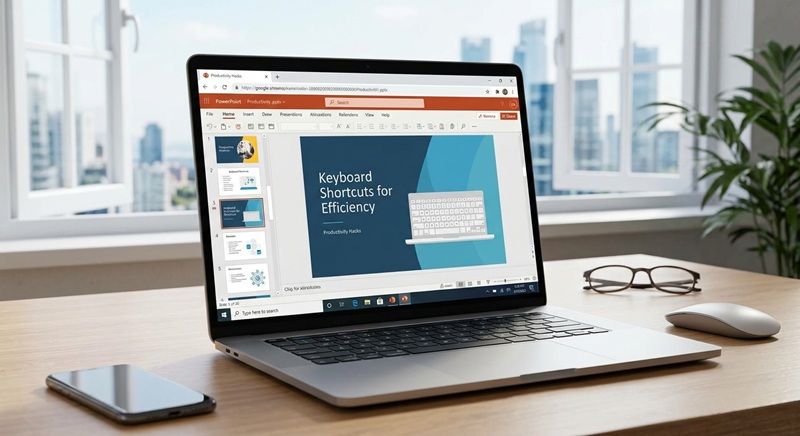
Why Use an Online PPT Viewer?
Viewing PowerPoint presentations usually requires Microsoft PowerPoint or compatible software, which may not be available on all devices. An online PPT viewer solves this by letting you open .ppt, .pptx, and other presentation formats directly in your web browser—quickly, securely, and for free. This is especially useful for students, professionals, or anyone who needs to review slides on the go without installing heavy applications.
Supported File Formats
Most online PPT viewers support common PowerPoint file types, including:
- .ppt (older PowerPoint format)
- .pptx (modern XML-based format)
- .pps and .ppsx (PowerPoint Show files)
Some advanced tools may also handle password-protected or embedded media files, though basic viewers focus on static slide content like text, images, and simple animations.
How to Use the Online PowerPoint Viewer
Using an online PPT viewer is straightforward. Follow these practical steps to view your presentation instantly:
- Go to the PPT viewer tool page – Visit the free online viewer on zztool.cc.
- Upload your file – Click the upload button or drag and drop your .ppt or .pptx file into the designated area.
- Wait for processing – The tool will convert your slides into a web-friendly format. This usually takes just a few seconds.
- Browse your slides – Navigate using arrow keys, on-screen buttons, or swipe gestures (on touch devices). Zoom in/out if needed.
- Close or reload – Once done, you can close the tab or upload another file. No data is stored permanently.
Benefits of Browser-Based Viewing
Using a browser-based PowerPoint viewer offers several advantages:
- No installation required – Works on any device with a modern browser (Windows, Mac, Linux, Chromebook, iPad, Android).
- Privacy-focused – Files are processed locally or deleted immediately after viewing; no cloud storage is used.
- Fast and lightweight – Avoids launching large desktop apps, saving time and system resources.
- Cross-platform compatibility – View the same presentation consistently across different operating systems.
Tips for Best Results
To ensure smooth viewing of your PowerPoint files online:
- Use .pptx format when possible—it’s more reliably rendered than older .ppt files.
- Avoid complex animations or embedded videos, as many online viewers display only static slide content.
- Check file size: very large presentations (e.g., over 50 MB) may take longer to load or fail to render.
- If fonts appear incorrect, it’s because the viewer uses system defaults—embed fonts in your original PPT if fidelity is critical.
When Not to Use an Online Viewer
While convenient, online PPT viewers have limitations. They’re ideal for reading or presenting, but not for editing. If you need to modify slides, add transitions, or rehearse timings, use dedicated software like Microsoft PowerPoint, Google Slides, or LibreOffice Impress. Also, avoid uploading sensitive or confidential presentations unless you confirm the tool processes files client-side with no server upload.
Summary
An online PowerPoint viewer like the one offered by zztool.cc lets you open and browse .pptx files instantly in your browser—no downloads, no sign-ups, and no hassle. It’s perfect for quick reviews, sharing presentations across devices, or accessing slides on restricted computers. Just upload, view, and go!
![Free Tile Quantity Calculator Tool [Recommended]](/assets/blog/2026/1787786513_7ee0db51.jpg)